-
Book Overview & Buying
-
Table Of Contents
-
Feedback & Rating
Windows Server 2016 Automation with PowerShell Cookbook - Second Edition
By :
It is useful to create your own PowerShell repository for personal or corporate use. The tools to enable you to build your own repository are not included in PowerShell. There are three main approaches available that enable you to build a repository:
NuGet package manager to download and install the Nuget.Server package into a new web project, and deploy to your own IIS Server. This option is free. However, you need to use Visual Studio 2015 (Either the full version or the free community edition) to create your own web project, download the Nuget server software, and deploy it into your environment. More information is available at https://www.nuget.org/packages/NuGet.Server.NuGet host's SAAS platform. This is the simplest solution, but software licensing fees may apply, and some organizations might have reservations about keeping the code on external servers. Choices for this approach include Visual Studio Team Services, http://myget.org/, and ProGet.NuGet software repository on your server. This simplifies the setup process for hosting your own software repository, but software licensing fees may apply.More information is available on hosting from the NuGet site at https://docs.nuget.org/ndocs/hosting-packages/overview.
The simplest approach to setting up your own software repository is to install and configure the free or trial version of ProGet. Do so via a GUI installation—the steps are described at https://inedo.com/support/documentation/proget/installation/installation-guide.
You have the choice of using an existing SQL Server instance or installing SQL Express as part of the installation. SQL is used to hold the repository's data. You may also choose to install your repository to an existing IIS Server or install ProGet with its own internal web server.
Inedo also provides a PowerShell script to perform the installation, which you may customize. For the script based installation, you need to register for a free license key at https://my.inedo.com.
You can find more information on using ProGet from the Inedo web site athttps://inedo.com/support/kb/1088/using-powershell-to-install-and-configure-proget.

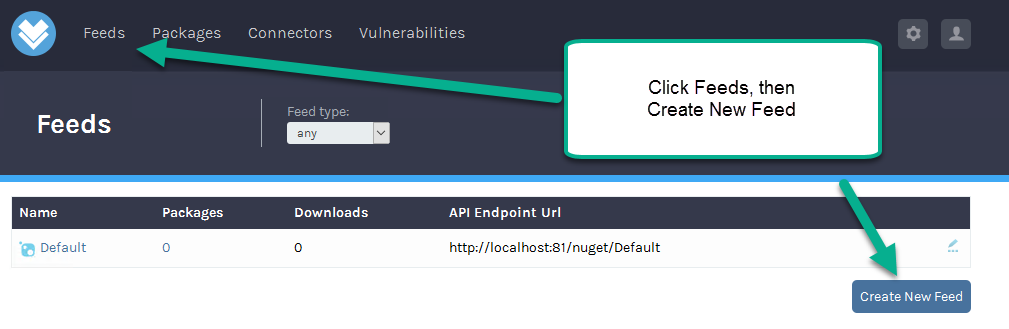
Feeds page, click Create New Feed:
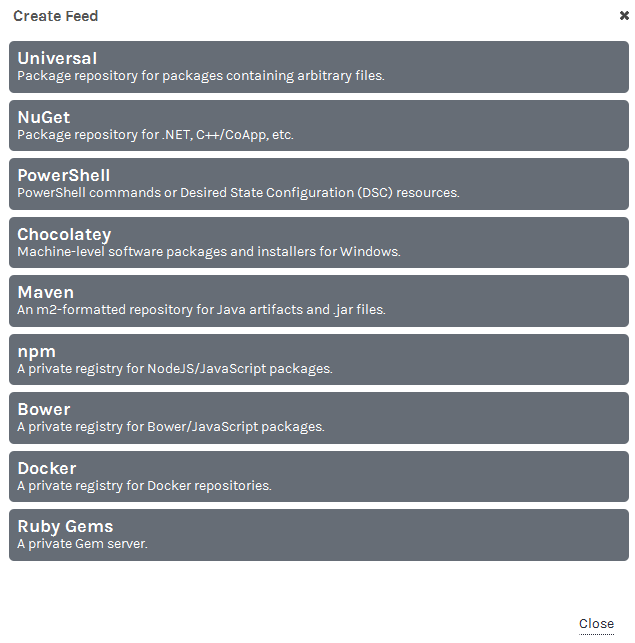
PowerShell:
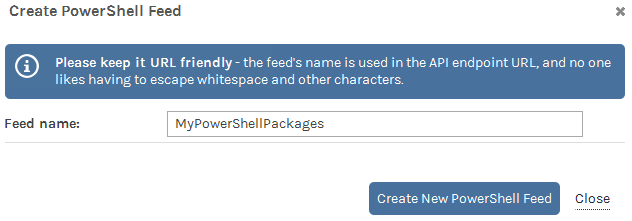
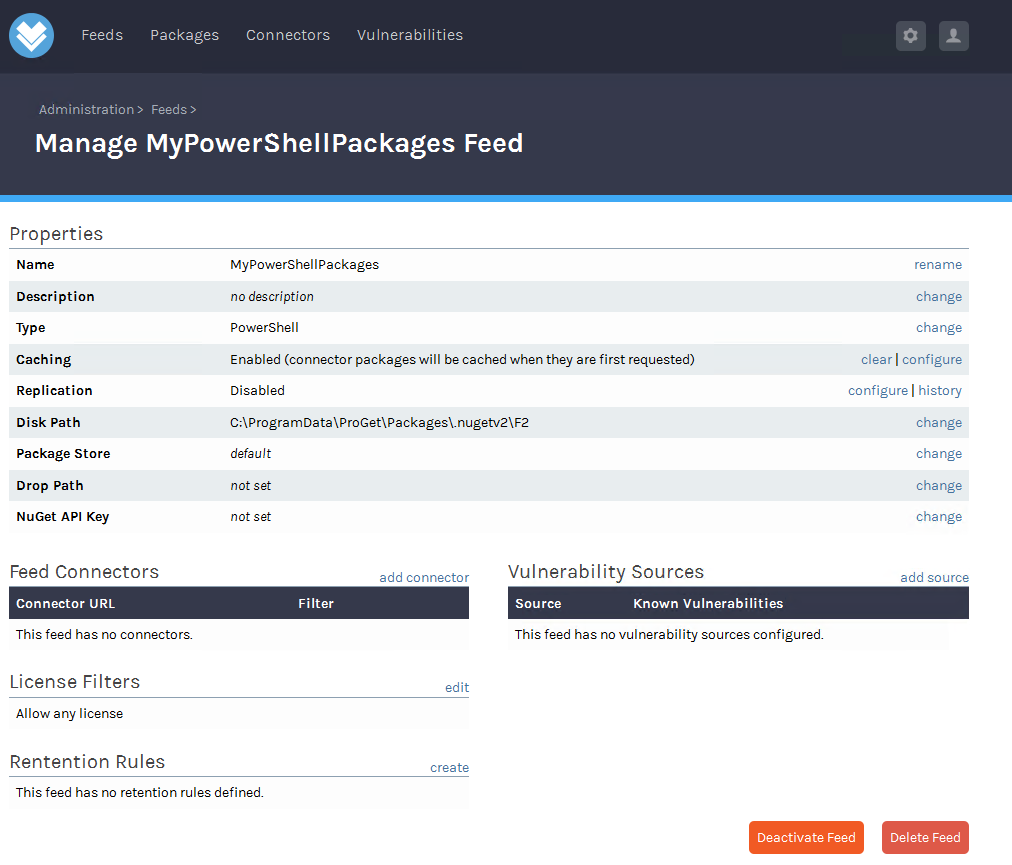
MyPowerShellPackages) and click the Create New PowerShell Feed button:

$RepositoryURL = ` "http://localhost:81/nuget/MyPowerShellPackages/" Register-PSRepository -Name MyPowerShellPackages ` -SourceLocation $RepositoryURL` -PublishLocation $RepositoryURL ` -InstallationPolicy Trusted
Pester, for example):Publish-Module -Name Pester -Repository MyPowerShellPackages ` -NuGetApiKey "Admin:Admin"
PSGallery, save it to the C:\Foo folder, and publish to your new repository (for example, Carbon):Find-Module -Name Carbon -Repository PSGallery New-Item -ItemType Directory -Path 'C:\Foo' Save-Module -Name Carbon -Path C:\foo Publish-Module -Path C:\Foo\Carbon ` -Repository MyPowerShellPackages ` -NuGetApiKey "Admin:Admin"
Find-Module -Repository MyPowerShellPackagesThere are various options for setting up a NuGet-based repository for PowerShell. ProGet is a universal package manager from Inedo (See https://inedo.com/proget for more information on ProGet). ProGet is a very simple choice as it is easy to get started and offers the ability to scale to enterprize level. ProGet has both a free and a paid subscription version available. The ProGet installer creates a NuGet web server backed by a SQL Express database.
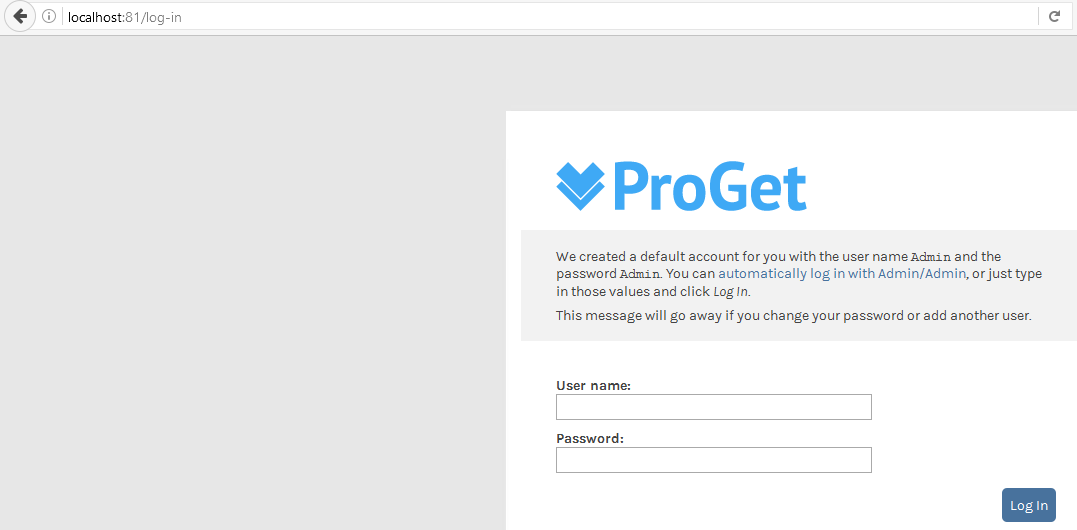
In step 1, you visit the server web administration page and optionally review the functionality available.
In steps 2-5, you use ProGet to create a new repository for your PowerShell modules. As you see, you use the ProGet GUI to create this new repository.
In step 6, you register your new repository in your PowerShell session. You need to know the repository URL and have a NuGet API key, using the default username/password of Admin /Admin.
In step 7, you publish a module to the repository—you are using a module that is installed in your PowerShell session, Pester.
In step 8, you locate and download an additional module from the PSGallery, and publish this module to your local repository.
In step 9, you see the modules available from your local repository:

ProGet is a rich product. It provides both automatic failover and scalability which are needed features for PowerShell repositories in large organization's repository. ProGet is one option you have for creating your own organization specific repository. To learn more about ProGet, visit http://inedo.com/support/documentation/proget.
NuGet is a free, open source package management system provided by the Microsoft ASP.NET development platform and is provided as a Visual Studio extension. To learn more about NuGet, visit https://docs.nuget.org/ndocs/api/nuget-api-v3.
Change the font size
Change margin width
Change background colour