-
Book Overview & Buying
-
Table Of Contents
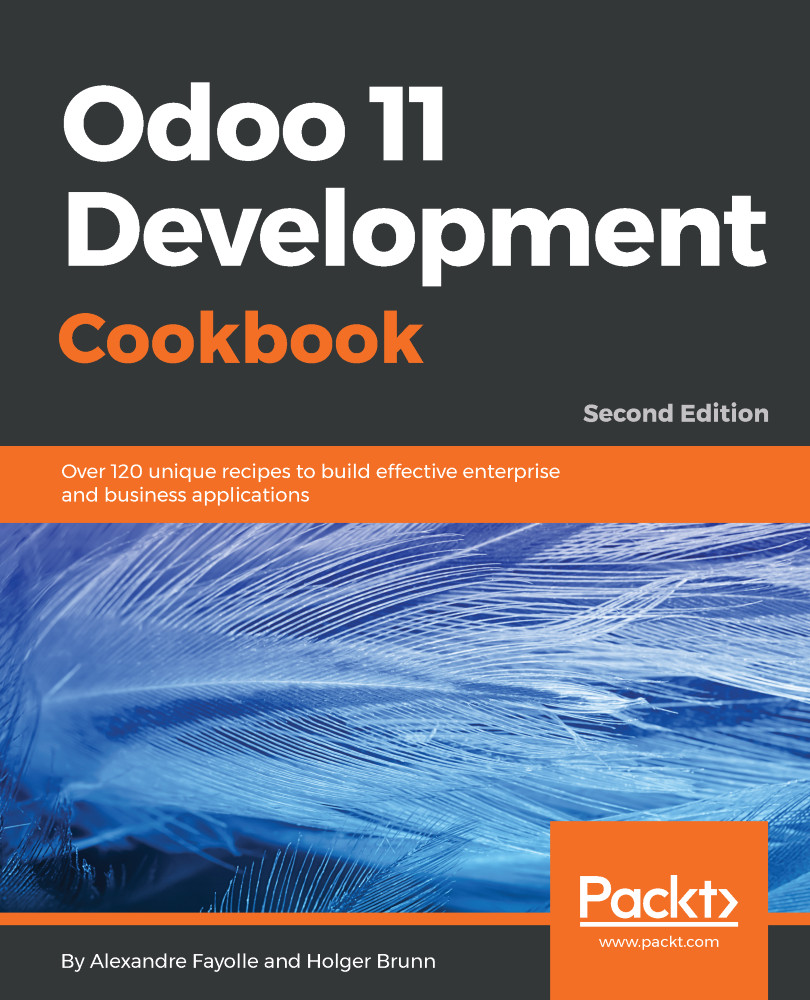
Odoo 11 Development Cookbook - Second Edition - Second Edition
By :
Odoo, formerly known as OpenERP, is a great platform for developers. The framework, at its core, is very rich and allows building client-server applications from scratch, as well as adapting existing applications to your needs through a clever extension mechanism and a very modular design. The latest versions have brought a wealth of new possibilities with the addition of a full-featured website development stack. The scope is huge, and it is easy for newcomers to feel lost.
For years, Odoo developers have been learning their craft by reading the code of addon modules, which are built on top of the framework to provide enterprise management features.
While effective, this process is long and error-prone, since it is difficult to know whether the source code you are learning from uses the latest possibilities offered by the framework, or if you are looking at an older module that has not been updated to use these features. To make things worse, some code flows are intrinsically hard to follow because they're partly in the business logic layer, partly in the database layer, partly in the request handling layer, and partly in the client-side code.
This book is meant to save you time by tapping into the years of experience accumulated by long-time Odoo contributors to learn the current best practices in Odoo development by focusing on the new features of version 11, and also giving a solid base in the existing mature functionality of the framework. Since Odoo has a long tradition of guaranteeing backward compatibility, most of the presented material should still work with upcoming versions.
If you are a Python developer who wants to develop highly efficient business applications with the latest Odoo framework and want a hands-on problem/solution book for all of your Odoo development-related issues, this book is for you! Some experience with the JavaScript programming language and web development is assumed to make the most of this book.
Chapter 1, Installing the Odoo Development Environment, begins with how to create a development environment for Odoo, start Odoo, create a configuration file, and activate the developer tools of Odoo.
Chapter 2, Managing Odoo Server Instances, is about addon installation and upgrading. It provides useful tips for working with addons installed from GitHub and organizing the source code of your instance.
Chapter 3, Server Deployment, provides advice on how to install and configure Odoo for production, including setting up a reverse proxy to encrypt network communications over HTTPS and ensuring that Odoo starts when the server boots.
Chapter 4, Creating Odoo addon Modules, explains the structure of an Odoo addon module and provides a step-by-step guide for creating a simple module from scratch.
Chapter 5, Application Models, focuses on Odoo model descriptions, and explains the various field types and the different inheritance models available in Odoo.
Chapter 6, Basic Server-Side Development, introduces the API of Odoo, presents the commonly used methods of the Model class, and explains how to write business logic methods. More advanced topics are covered in Chapter 9, Advanced Server-Side Development.
Chapter 7, Module Data, shows how to ship data along with the code of your module. It also explains how to write a migration script when a data model provided by an addon is modified in a new release.
Chapter 8, Debugging and Automated Testing, proposes some strategies for server-side debugging and provides an introduction to the Python debugger. It also explains how to write and run automated tests using YAML or Python for your addon modules. Client-side testing is covered in Chapter 15, Web Client Development.
Chapter 9, Advanced Server-Side Development Techniques, outlines more advanced topics useful when writing business methods, such as writing wizards to walk the user through a process, writing onchange methods, manipulating the execution context or bypassing the ORM to use raw SQL.
Chapter 10, Backend Views, teaches you how to write business views for your data models and how to call server-side methods from these views. It covers the usual views (list view, form view, and search view) as well as the views introduced in recent versions of Odoo (kanban, graph, calendar, pivot, and so on).
Chapter 11, Access Security, discusses how to control who has access to what in your Odoo instance by creating security groups, writing access control lists to define what operations are available to each group on a given model, and if necessary by writing record-level rules.
Chapter 12, Internationalization, takes you through the translation of the user interfaces of your addons and provides useful tricks about using GNU Gettext command line tools to manipulate translation files.
Chapter 13, Automation, Workflows, Emails, and Printouts, illustrates the different tools available in Odoo to implement business processes for your records. It also shows how server actions and automated rules can be used to support business rules, and how to generate emails and PDF documents with Odoo.
Chapter 14, Web Server Development, deals with the core of the web server in Odoo. It explains how to map URLs to methods and how to control who can access these URLs.
Chapter 15, Web Client Development, dives into the JavaScript part of Odoo and explains how you can provide new widgets and make RPC calls to the server. It also gives tips about debugging and testing this part of your code.
Chapter 16, CMS Website Development, shows how to customize websites built with Odoo, by writing your own templates and providing new snippets for use in the website builder.
This book is meant for developers, and it is not a development tutorial. It expects you to be familiar with the Python programming language (especially in the backend development chapters), the JavaScript programming language (especially in the front end development chapters). Since the data files in the modules are often formatted as XML files, some knowledge of the XML syntactic rule is definitely welcome.
Odoo will run without problem on any recent GNU/Linux distribution. In order to simplify the code in the recipes, we chose to Debian GNU/Linux 9 (code name Stretch), so it will also help if you had some previous acquaintance with the apt-get command used to install software packages, and some notions about GNU/Linux system administration.
You can download the example code files for this book from your account at www.packtpub.com. If you purchased this book elsewhere, you can visit www.packtpub.com/support and register to have the files emailed directly to you.
You can download the code files by following these steps:
SUPPORT tab.Code Downloads & Errata.Search box and follow the onscreen instructions.Once the file is downloaded, please make sure that you unzip or extract the folder using the latest version of:
The code bundle for the book is also hosted on GitHub at https://github.com/PacktPublishing/Odoo-11-Development-Coobook-Second-Edition. We also have other code bundles from our rich catalog of books and videos available at https://github.com/PacktPublishing/. Check them out!
There are a number of text conventions used throughout this book.
CodeInText: Indicates code words in text, database table names, folder names, filenames, file extensions, pathnames, dummy URLs, user input, and Twitter handles. Here is an example: "Create a virtualenv and install the dependencies"
A block of code is set as follows:
from odoo import models, fields, api
class LibraryBook(models.Model):
# [...]
state = fields.Selection([('draft', 'Unavailable'),
('available', 'Available'),
('borrowed', 'Borrowed'),
('lost', 'Lost')],
'State') When we wish to draw your attention to a particular part of a code block, the relevant lines or items are set in bold:
def export_stock_level(self, stock_location):
import pdb; pdb.set_trace()
products = self.with_context(location=stock_location.id).search([])
fname = join(EXPORTS_DIR, 'stock_level.txt')
try:
with open(fname, 'w') as fobj:
for prod in products.filtered('qty_available'):
fobj.write('%s\t%f\n' % (
prod.name, prod.qty_available))
except IOError:
raise exceptions.UserError('unable to save file') Any command-line input or output is written as follows:
$ ../odoo/odoo-bin --save --config myodoo.cfg --stop-after-initIn the example above $ is the command line prompt, and it should not be typed. When the command line prompt is a hash sign (#), this means that the command must be run as the root user. Some command lines had to be wrapped on multiple lines due to the width of the pages. In these cases, there is a backslash (\) at the end of the line. When typing the command you may want to ignore these backslashes completely and not input them, entering the whole command on a single line. If you choose to type them, you must not add any spaces after the backslash and hit the Return key immediately to insert a new line character just after the backslash.
Bold: Indicates a new term, an important word, or words that you see onscreen. For example, words in menus or dialog boxes appear in the text like this. Here is an example: "Go to the Settings menu."
Warnings or important notes appear like this.
Tips and tricks appear like this.
In this book, you will find several headings that appear frequently (Getting ready, How to do it..., How it works..., There's more..., and See also).
To give clear instructions on how to complete a recipe, use these sections as follows:
This section tells you what to expect in the recipe and describes how to set up any software or any preliminary settings required for the recipe.
This section contains the steps required to follow the recipe.
This section usually consists of a detailed explanation of what happened in the previous section.
This section consists of additional information about the recipe in order to make you more knowledgeable about the recipe.
This section provides helpful links to other useful information for the recipe.
Feedback from our readers is always welcome.
General feedback: Email [email protected] and mention the book title in the subject of your message. If you have questions about any aspect of this book, please email us at [email protected].
Errata: Although we have taken every care to ensure the accuracy of our content, mistakes do happen. If you have found a mistake in this book, we would be grateful if you would report this to us. Please visit www.packtpub.com/submit-errata, selecting your book, clicking on the Errata Submission Form link, and entering the details.
Piracy: If you come across any illegal copies of our works in any form on the internet, we would be grateful if you would provide us with the location address or website name. Please contact us at [email protected] with a link to the material.
If you are interested in becoming an author: If there is a topic that you have expertise in and you are interested in either writing or contributing to a book, please visit authors.packtpub.com.
Please leave a review. Once you have read and used this book, why not leave a review on the site that you purchased it from? Potential readers can then see and use your unbiased opinion to make purchase decisions, we at Packt can understand what you think about our products, and our authors can see your feedback on their book. Thank you!
For more information about Packt, please visit packtpub.com.
Change the font size
Change margin width
Change background colour