-
Book Overview & Buying
-
Table Of Contents
-
Feedback & Rating
Drupal 8 Development Cookbook - Second Edition
By :
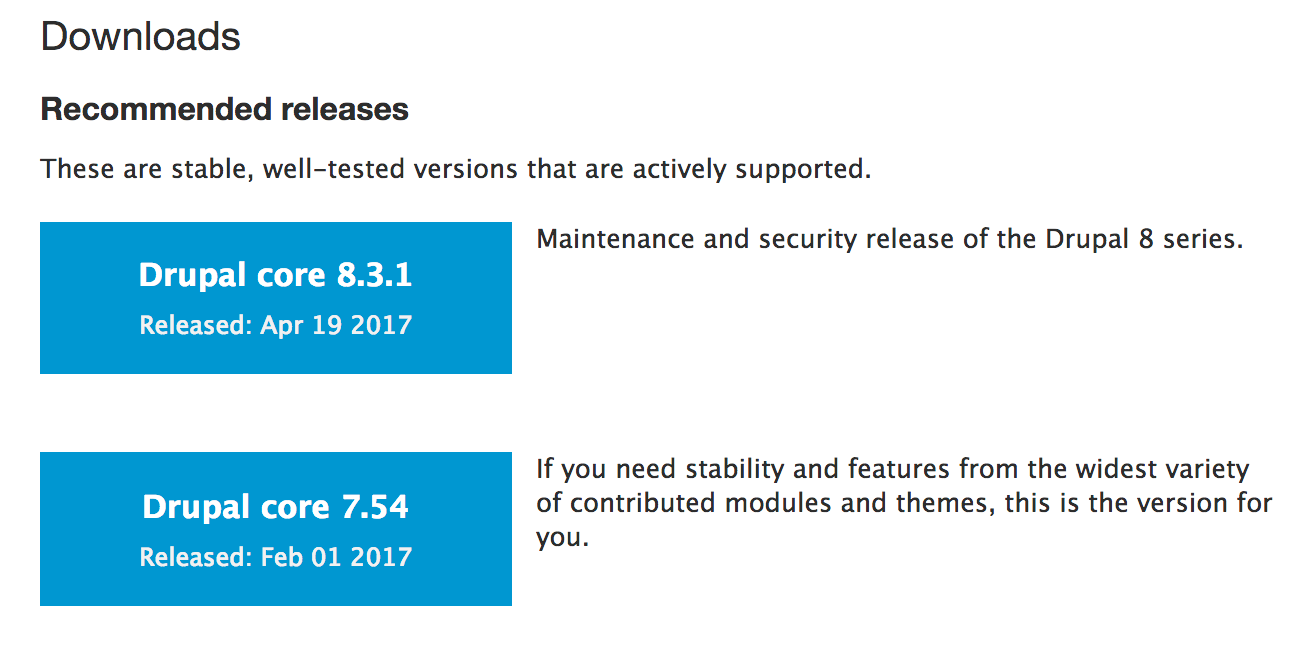
There are many different methods to download Drupal and install it. In this recipe, we will focus on downloading Drupal from https://www.drupal.org/ and setting it up on a basic Linux, Apache, MySQL, or PHP (LAMP) server.
In this recipe, we will set up the files for Drupal 8 and step through the installation process.
Before we start, you will need a development environment that meets the new system requirements for Drupal 8:
You will need a user with privileges to create databases or a created database with a user who has privileges to make tables in that database.
Drupal 8 ships with Symfony (https://symfony.com/) components. One of the new dependencies in Drupal 8, to support the Symfony routing system, is the Drupal Clean URL functionality. If the server is using Apache, ensure that mod_rewrite is enabled. If the server is using Nginx, the ngx_http_rewrite_module must be enabled.
We will download Drupal 8 and place its files in your web server's document root. This is the /var/www folder. If you used a tool, such as XAMPP, WAMP, or MAPP, consult the proper documentation to know your document root.
For full system requirements for Drupal 8, check out https://www.drupal.org/docs/8/system-requirements/. The Drupal.org documentation is currently being migrated. Also, review the Drupal 7 requirements page on https://www.drupal.org/docs/7/system-requirements/overview, which highlights Drupal 8 items, as well.
We need to follow these steps to install Drupal 8:
drupal8 folder :
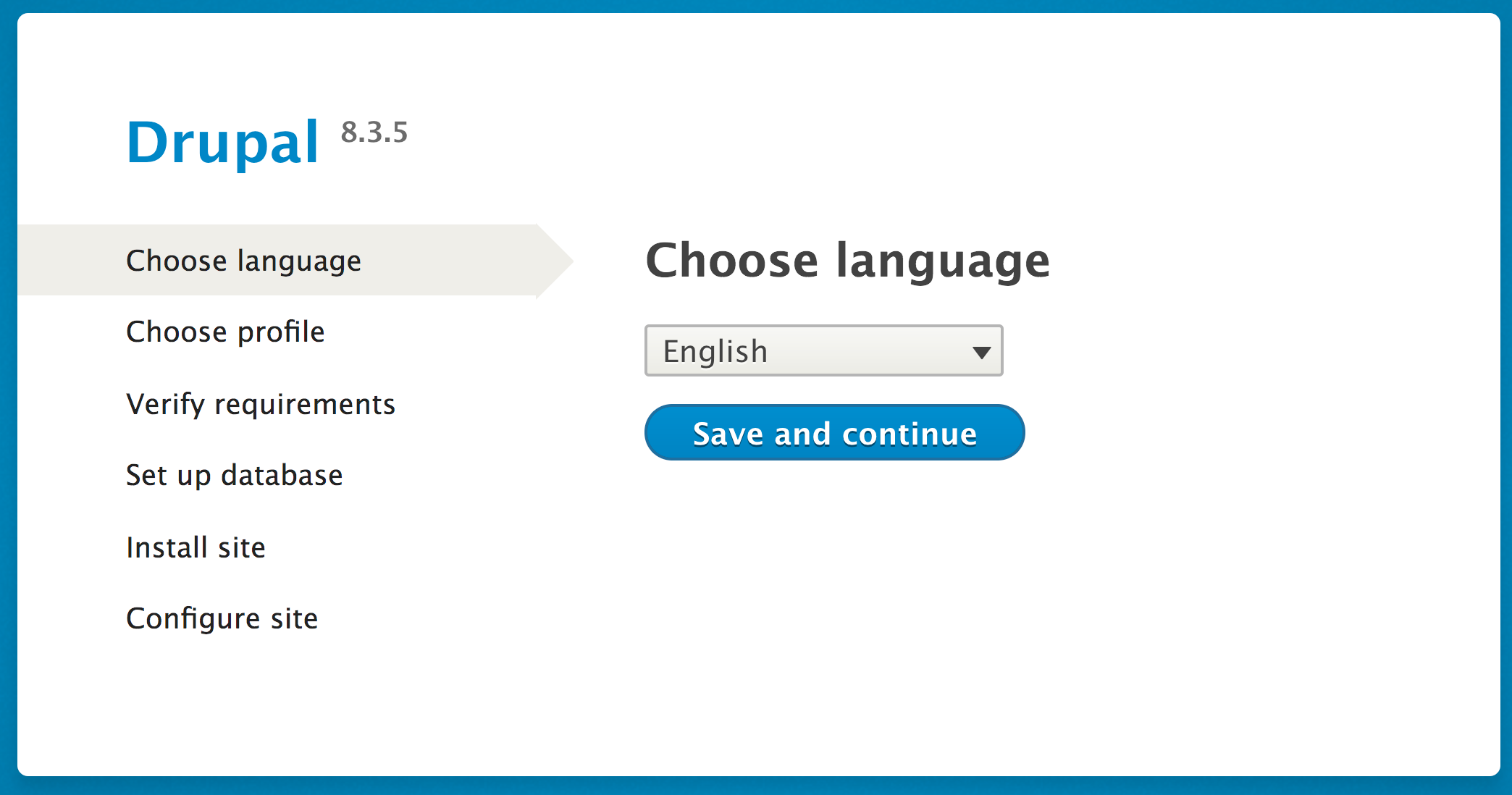
http://localhost/drupal8, which will then take you to the Drupal installation wizard. You will land on the new multilingual options install screen. Select your language and click on Save and continue:
Standard option for the installation profile. This will provide us with a standard configuration with the most commonly used modules installed.If you have requirement issues, the installer will report the specific issues. Nearly every requirement will link to a Drupal.org handbook page with solution steps.

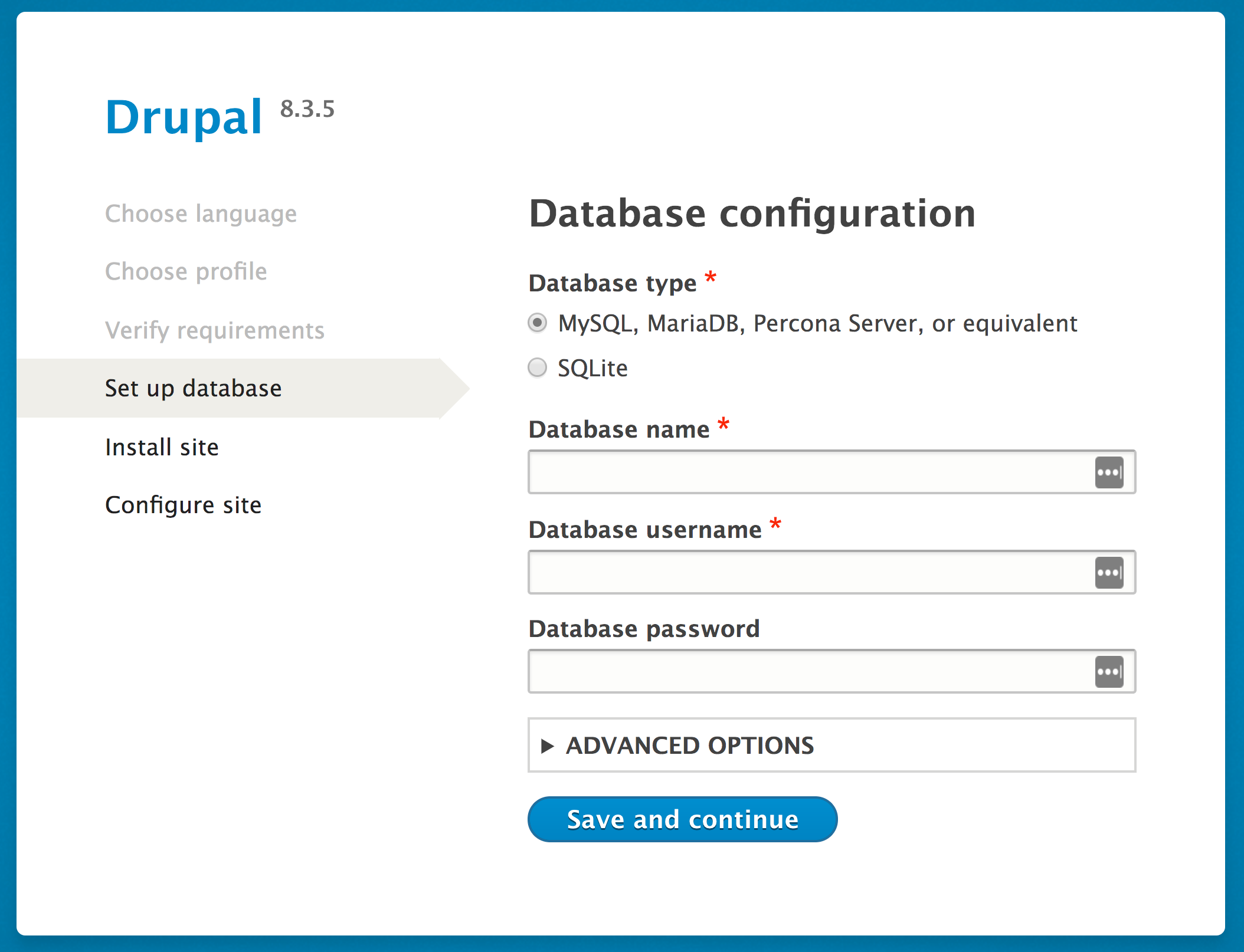
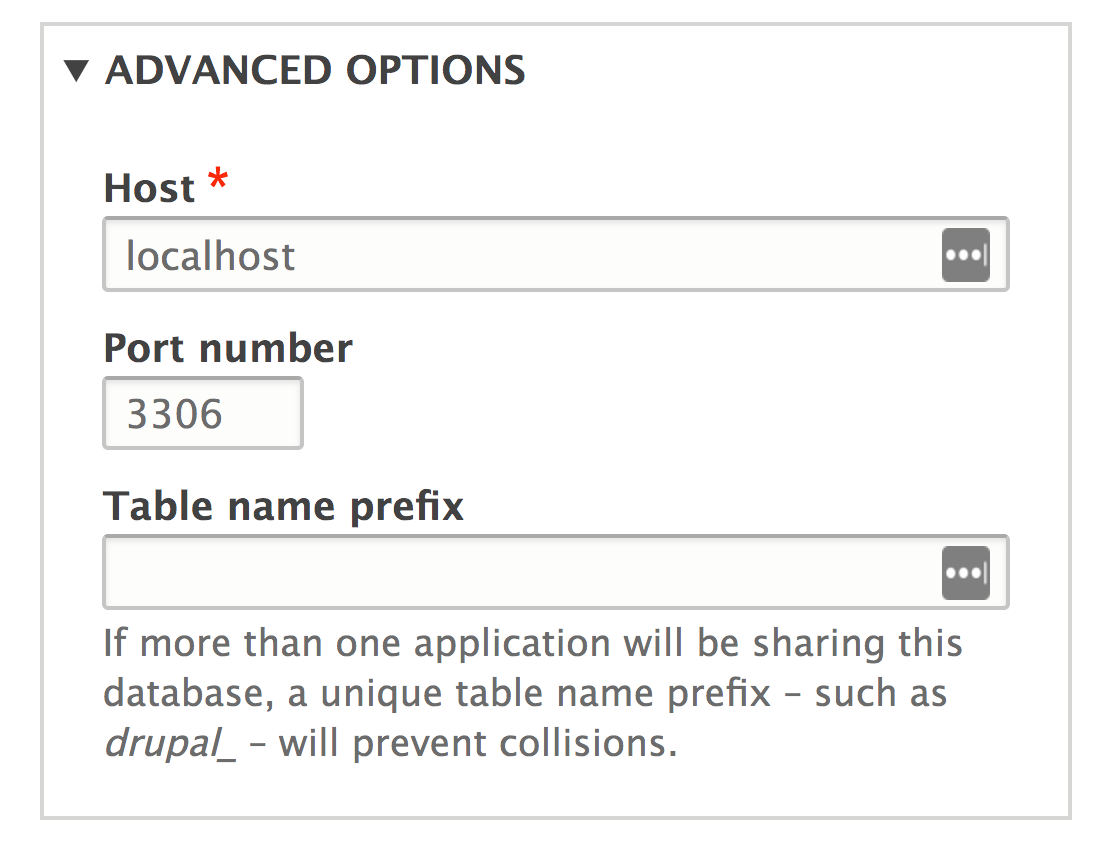
See the There's more... section of this recipe for information on setting up your database.
Save and continue, and congratulations, you installed Drupal! The next screen will provide you a link to your installed Drupal site.The Drupal installation process will provide a Drupal installation for the selected language and install modules and configuration based on the installation profile (standard or minimal in this recipe.)
When you visit the installer, it reads the language code from the browser. With this language code, it will then select a supported language. If you choose a non-English installation, the translation files will be automatically downloaded from https://localize.drupal.org/. Previous versions of Drupal did not support automated multilingual installs. More on multilingual will be covered in Chapter 8, Multilingual and Internationalization.
The installation profile instructs Drupal what modules to install by default. Contributed install profiles are termed distributions; we will discuss this more in the next recipe.
When verifying requirements, Drupal checks application versions and PHP configurations. For example, if your server has the PHP Xdebug (https://xdebug.org) extension installed, the minimummax_nesting_level must be 256 or else Drupal will not be installed (https://www.drupal.org/node/2393531).
The Drupal installation process is straightforward, but there are a few things worth discussing.
As mentioned earlier, to install Drupal, you will need to have access to a database server (or the ability to create one) and an existing database (or the ability to create one). This process will depend on your environment setup.
If you are working with a hosting provider, there is more than likely a web-based control panel. This should allow you to create databases and users. Refer to your hosting provider's documentation for more information on this topic.
If you are using phpMyAdmin (https://www.phpmyadmin.net/) on your server, often installed by MAMP, WAMP, and XAMPP, and have root access, you can create your databases and users by following these steps:
Add a new User from the bottom of the privileges page.If you do not have a user interface but have a command-line access, you can set up your database and user using the MySQL command line. These instructions can be found in the core/INSTALL.mysql.txt file. From the command line of your site, perform the following:
$ mysql -u username -pmy_database database:$ CREATE DATABASE my_database CHARACTER SET utf8 COLLATE utf8_general_ci;$ CREATE USER username@localhost IDENTIFIED BY 'password';$ GRANT SELECT, INSERT, UPDATE, DELETE, CREATE, DROP, INDEX, ALTER, CREATE TEMPORARY TABLES ON databasename.* TO 'username'@'localhost' IDENTIFIED BY 'password';If you are installing Drupal with a PostgreSQL or SQLite database, check out the appropriate installation instructions, either INSTALL.pgsql.txt or INSTALL.sqlite.txt.
Drupal, like other content management systems, allows you to prefix its database tables from the database set-up form. This prefix will be placed before table names to help make them unique. Although it is not recommended, this would allow multiple installations to share one database. Utilizing table prefixes can, however, provide some level of security through obscurity since the tables will not be their default names:

You may also install Drupal using the PHP command-line tool, Drush. Drush is a command-line tool created by the Drupal community and must be installed if you wish to use it. Drush is covered in Chapter 13, The Drupal CLI.
As of Drush 9, which supports Drupal 8.3+, this section is deprecated. Using Drush to download Drupal core or contributed modules will throw a warning to use Composer instead.
The pm-download command will download packages from Drupal.org. The site-install command will allow you to specify an installation profile and other options to install a Drupal site. The installation steps in this recipe could be run through Drush, as follows:
$ cd /path/to/web$ drush pm-download drupal-8 drupal8$ cd drupal8$ drush site-install standard -locale=en-US --account-name=admin --account-pass=admin [email protected] -db-url=mysql://user:pass@localhost/database
We used Drush to download the latest Drupal 8 and place it in a folder named drupal8. Then, the site-install command instructs Drush to use the standard install profile, configure the maintenance account, and provide a database URI string so that Drupal can connect to its database.
You can download Drupal using Composer, the de facto PHP package manager. The preferred method is to use the Drupal Composer project template provided by the community.
To build your Drupal 8 site, run the following commands:
$ cd /path/to/document/root$ composer create-project drupal-composer/drupal-project drupal8 --stability dev
Wait for the commands to finish--it may take some time, as it downloads all the required dependencies. You can feel free to grab a coffee (the first time takes a while; it primes caches. Have faith, it will be much faster the next time.)
When finished, you will find a different directory structure inside your drupal8 directory. The vendor directory contains all third-party PHP libraries, and the web directory contains your Drupal 8 site. You will need to modify your web server to use the web directory as the new docroot within your drupal8 directory.
The project and its details can be found at https://github.com/drupal-composer/drupal-project, along with its full documentation.
If you choose to disable the update options, you will have to check manually for module upgrades. While most upgrades are for bug fixes or features, some are for security updates. It is highly recommended that you subscribe to the Drupal security team's updates. These updates are available on Twitter at @drupalsecurity (https://twitter.com/drupalsecurity) or the feeds onhttps://www.drupal.org/security.
Change the font size
Change margin width
Change background colour